I spent three hours last Tuesday watching a “productivity guru” on YouTube explain a color-coded, multi-layered system for digital archiving, only to realize I had no idea where I’d put my coffee. It felt like a total waste of time, and honestly, most of the flashy note taking methods being pushed on social media are just expensive distractions in disguise. We’ve been sold this idea that if we just find the perfect app or the most aesthetic fountain pen, our chaotic lives will suddenly snap into alignment. But let’s be real: a fancy setup doesn’t matter if you can’t actually find the meeting notes you took three days ago when your boss is breathing down your neck.
I’m not here to sell you on a digital ecosystem that requires a PhD to navigate. Instead, I want to talk about the uncomplicated, slightly messy systems that actually survive a real workday. I’m going to share the specific, low-friction ways I use everything from my physical pocket planner to basic text files to keep my brain from exploding. No aesthetic spreads, no subscription fatigue—just practical habits that work when life gets loud.
Table of Contents
The Real Truth About Digital vs Handwritten Notes
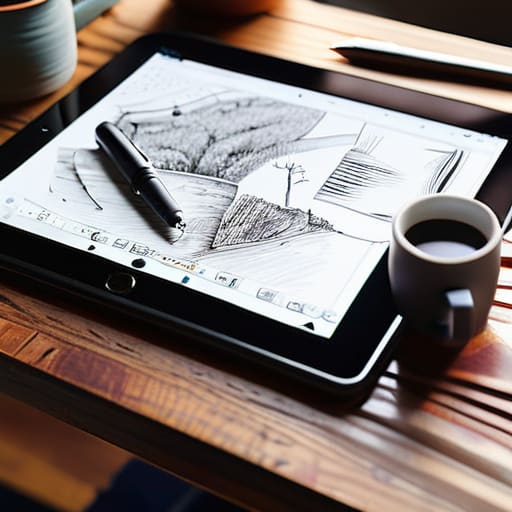
I’ll be the first to admit it: I have a serious love-hate relationship with my iPad. On one hand, having every meeting minute and grocery list synced to the cloud feels like a superpower. On the other, there’s something about the friction of a screen that makes my brain want to wander toward Instagram. When we talk about digital vs handwritten notes, the internet loves to frame it as a binary choice—you’re either a high-tech minimalist or a stationery-obsessed analog purist. But in my experience, it’s rarely that clean.
The reality is that digital tools are unbeatable for speed and searchability, especially when you’re drowning in meeting invites. However, if you’re trying to actually absorb complex information, I’ve found that typing often becomes a mindless transcription exercise. I’ve started leaning back into my physical planner and actual paper when I need to truly process something. There’s a cognitive connection that happens when your hand moves across a page that a keyboard just can’t replicate. It’s not about being “old school”; it’s about choosing the tool that actually forces your brain to engage rather than just record.
Why the Cornell Note Taking System Still Wins
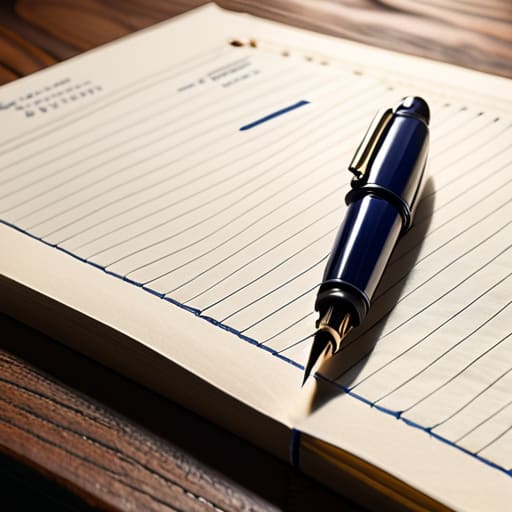
Look, I know the idea of using a rigid, decades-old system sounds about as exciting as watching paint dry, but the Cornell note taking system is one of those rare things that actually lives up to the hype. I used to think it was just another academic gimmick, but once I started using it to manage project specs at work, it clicked. It’s not about making your pages look pretty; it’s about forcing your brain to actually process what you’re hearing rather than just mindlessly transcribing words like a stenographer.
The magic is in the layout. By splitting your page into a dedicated cue column and a summary area, you’re essentially building in effective study habits without having to try too hard. Instead of staring at a wall of text later, you have those quick cues to trigger your memory. It turns your notes from a passive graveyard of information into a functional tool. It’s a bit more work upfront, sure, but it saves you from that soul-crushing feeling of re-reading the same paragraph five times because nothing actually stuck the first time.
Five ways to stop wasting time and actually start using your notes
- Stop trying to transcribe everything like a court reporter. If you’re writing down every single word your boss says, you aren’t actually processing the information; you’re just a human stenographer. Listen, pause, and then write down the meaning in your own words. It sticks better that way.
- Embrace the “messy middle.” I used to feel guilty if my notes didn’t look like a Pinterest-worthy spread with perfect calligraphy. Honestly? If it’s legible to you and captures the core idea, it’s a win. Don’t let the pursuit of “aesthetic” notes become another chore on your to-do list.
- Build in a five-minute “review buffer.” This is the part everyone skips because it feels unproductive, but it’s the most important. At the end of the day, or even just after a meeting, take five minutes to highlight the action items. If a note doesn’t have a clear “next step” attached to it, it’s just digital clutter.
- Use a consistent shorthand that actually makes sense to you. You don’t need a complex system of symbols, but having a few go-to marks—like a little star for “urgent” or a question mark for “follow up”—saves you from having to re-read a whole paragraph later just to find out what you were supposed to do.
- Match the method to the moment. Don’t force yourself to use a heavy notebook for a quick grocery list or a fleeting idea while walking to the train. Use a quick digital memo for the transient stuff, and save the structured, deep-dive notes for when you’re actually sitting down to work. One size does not fit all.
Finding Your Own Rhythm
At the end of the day, there is no “perfect” system waiting to be discovered in a productivity app or a fancy stationery aisle. Whether you find yourself leaning into the tactile satisfaction of the Cornell method or the sheer speed of a digital app, the goal isn’t to look like a high-achiever on a curated feed—it’s to actually retain what you learn. We’ve looked at why digital and analog both have their place and why some structured systems beat out the chaos, but the real takeaway is that the best method is simply the one you actually use. If your system is so complex that you avoid opening it, it’s not a tool; it’s just another chore on your to-do list.
So, my advice? Stop searching for the ultimate hack and just start writing. Grab a scrap of paper, open a blank doc, and just get the thoughts out of your head. You’ll figure out your rhythm through trial and error, probably failing a few times before something finally clicks. Life is messy enough without turning your organization into a second full-time job. Focus on the small, repeatable habits that make your brain feel a little less cluttered, and let the rest fall into place. You’ve got this.
Frequently Asked Questions
How do I actually stick to a system like Cornell when my day gets chaotic and I'm just scribbling things down on random scraps of paper?
Look, I get it. I’ve had days where my “system” is just a sticky note stuck to a coffee cup. When chaos hits, stop trying to be perfect. Don’t fight the scrap paper; just use it as a temporary landing zone. At the end of the day—or even just during a quiet coffee break—take five minutes to migrate those messy scribbles into your actual Cornell layout. It’s not about being flawless; it’s about the cleanup.
Is it worth investing in a fancy digital tablet and stylus, or am I just paying for a glorified notebook that I'll stop using in a month?
Honestly? For most of us, it’s a glorified paperweight. I see so many people drop $800 on a tablet only to realize they miss the tactile feel of a pen or, more likely, they get distracted by notifications halfway through a meeting. Unless your job requires color-accurate sketching or you’re managing massive, searchable PDFs daily, save your money. Buy a decent notebook and a pen that actually glides. It’s cheaper, and you’ll actually use it.
When a meeting or lecture is moving super fast, how do I stop transcribing every single word and actually start capturing the stuff that matters?
Look, I used to be a professional stenographer in meetings, thinking if I caught every word, I’d be “prepared.” I wasn’t; I was just exhausted and missed the actual conversation. Now, I stop trying to be a human recorder. I listen for the “pivot words”—terms like however, the main point is, or consequently. When you hear those, write down the idea, not the sentence. If you miss a detail, leave a gap and move on.