









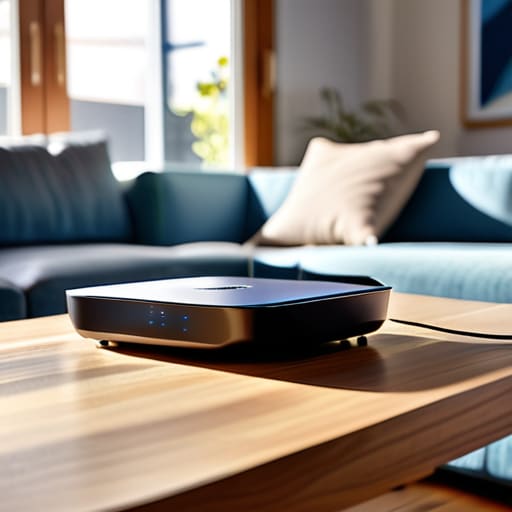
I was halfway through a critical project update last Tuesday when my screen froze, the little loading circle spinning with a mocking, rhythmic persistence. I sat there, staring at my router, feeling that familiar surge of tech-induced rage, wondering if I actually needed to drop $400 on a “mesh system” just to send an email. Honestly, the internet is full of gurus telling you that the only way to solve your connectivity issues is to buy more expensive hardware, but that is such a total scam. If you are searching for how to fix slow wifi, you don’t always need a bigger bank account; sometimes, you just need to stop fighting your setup and start working with it.
I’m not here to sell you on a high-tech overhaul or drown you in confusing jargon that sounds like it belongs in a manual for a spaceship. Instead, I want to share the small, repeatable tweaks I’ve learned through trial, error, and a lot of frustrated staring at my router. We’re going to focus on the practical, low-effort adjustments that actually move the needle. No magic bullets, no unnecessary spending—just real-world solutions to get you back online without the headache.
Table of Contents
Simple Wifi Router Placement Tips That Actually Work

First things first: stop hiding your router in a cabinet or tucking it behind the TV. I know, it looks much cleaner that way, but you’re essentially putting your internet in a sensory deprivation tank. To truly reduce wifi interference, you need to give that little box some breathing room. Ideally, place it in a central, open location on a shelf or a table. Think of your signal like sound from a speaker; if you put it in the basement, you aren’t going to hear it clearly in the upstairs bedroom.
If your home has thick walls or a tricky layout, you might be tempted to grab the first gadget you see online. Before you go down the rabbit hole of deciding between a wifi extender vs mesh network, try moving your router just a few feet higher. Getting it off the floor and away from large metal objects or appliances can make a massive difference in how the signal distributes. It’s not about expensive new hardware; it’s about strategic positioning that lets your signal actually reach the corners of your living room.
Reducing Wifi Interference With Small Practical Adjustments
If moving your router didn’t do the trick, we need to look at what else is fighting for your signal. Most of us have a dozen devices—smart speakers, baby monitors, even microwaves—all broadcasting on the same invisible frequencies. To reduce wifi interference, I usually start by checking if your router is sitting right next to a massive metal object or a cluster of electronics. It sounds tedious, but even a thick bookshelf can act like a shield, blocking your signal before it ever reaches your laptop.
Another quick win is changing wifi frequency bands. Most modern routers offer both 2.4GHz and 5GHz. Think of 2.4GHz like a slow, crowded highway that reaches far, while 5GHz is like a high-speed lane that doesn’t travel as well through walls. If you’re sitting right next to the router, switch to the 5GHz band for a massive boost. If things still feel sluggish, run a quick internet speed test results check to see if the problem is actually your provider rather than your home setup. Sometimes, the simplest fix is just a quick software update.
Five realistic ways to reclaim your bandwidth
- Do a quick digital audit of your devices. I realized recently that my old tablet and that smart plug I barely use were still hogging background data; turning off “auto-update” on devices you aren’t actively using can make a surprisingly big difference.
- Try the classic “off and on again” routine, but actually do it properly. Unplug your router, wait about thirty seconds—long enough to actually grab a coffee—and then plug it back in to clear out any digital cobwebs that have built up.
- Check if your router is actually outdated. I know, it’s not a fun expense, but if your hardware is more than five years old, it’s probably struggling to keep up with modern streaming demands, and no amount of tweaking will fix old tech.
- Switch your frequency. Most routers have two bands: 2.4GHz and 5GHz. Use the 5GHz band for things like your laptop when you’re working nearby because it’s faster, and save the 2.4GHz for those smart home gadgets that don’t need much speed.
- Run a speed test to see what you’re actually paying for. Before you spend hours troubleshooting, go to a site like Speedtest.net to see if the slow speed is actually your Wi-Fi or if your internet provider is just not delivering the service you’re billed for.
Final thoughts on your connection
Look, we’ve covered a lot of ground, from moving that dusty router out of the hallway closet to making those tiny adjustments to clear up interference. It isn’t about buying the most expensive mesh system on the market or calling your ISP to complain every single time a video buffers. Usually, it comes down to the small, repeatable habits of managing your hardware and being mindful of where your signal is actually fighting to get through. If you take just ten minutes to reposition your gear and declutter your digital space, you’ll likely see a difference that makes your daily workflow feel a lot less like an uphill battle.
At the end of the day, technology is supposed to serve us, not the other way around. We get so caught up in the frustration of a spinning loading icon that we forget these are just tools meant to make our lives easier. Don’t let a lagging connection ruin your focus or your mood. Start with one small tweak today, see how it feels, and remember that progress is rarely about the massive overhaul; it’s about those little, practical wins that keep us moving forward. You’ve got this, and your bandwidth will thank you.
Frequently Asked Questions
Does buying a more expensive router actually make a difference, or am I just throwing money at a problem that won't go away?
Look, I get it. It’s tempting to just hit “buy now” on that shiny, expensive router and hope it fixes everything. But honestly? It’s usually a band-aid, not a cure. If your placement is bad or your neighbors are hogging the signal, a $400 router won’t save you. Save your money for now. Try the small tweaks first. Only upgrade if your current hardware is genuinely outdated and struggling to keep up with your devices.
Is it worth it to get a Wi-Fi extender, or should I just look into a mesh system instead?
Honestly, it’s a classic “quick fix vs. long-term solution” dilemma. If you just have one annoying dead zone in a small apartment, an extender is a cheap, easy band-aid. But if you’re tired of your connection dropping every time you walk into the kitchen, skip the extender and invest in a mesh system. It’s more upfront cost, but it actually creates one seamless network instead of fighting with multiple signals. Trust me, your sanity is worth the upgrade.
How do I know if the issue is actually my internet service provider or if it's just my old hardware acting up?
It’s the million-dollar question, isn’t it? Here’s my rule of thumb: if your internet works fine when you’re standing right next to the router but dies the second you walk into the kitchen, it’s your hardware. If your speeds are sluggish everywhere—even when you’re tethered directly to the router with an ethernet cable—then it’s time to call your ISP. Don’t let them charge you for a “service upgrade” if your router is just ancient.




