I was sitting in my kitchen last Tuesday, staring at my laptop with a mounting sense of dread, when my neighbor’s leaf blower decided to stage a full-scale protest right outside my window. It was one of those moments where all the “expert” advice I’d read about remote job interview tips felt completely useless. Most of the internet wants you to believe that landing a remote role requires a studio-grade lighting kit and a professional-looking home office that looks like it was plucked from a Pinterest board. Honestly? That is total nonsense. You don’t need a minimalist sanctuary or a $500 microphone to prove you’re competent; you just need to stop letting the technical fluff distract you from the actual conversation.
I’m not here to sell you on a lifestyle makeover or a list of expensive gadgets you definitely don’t need. Instead, I want to share the small, repeatable habits that actually keep you grounded and professional when the Wi-Fi flickers or the dog starts barking. We’re going to skip the polished perfection and focus on the real-world tactics—from testing your tech to managing your own nerves—that will help you walk away from that screen feeling confident and capable.
Table of Contents
A Practical Remote Interview Preparation Checklist
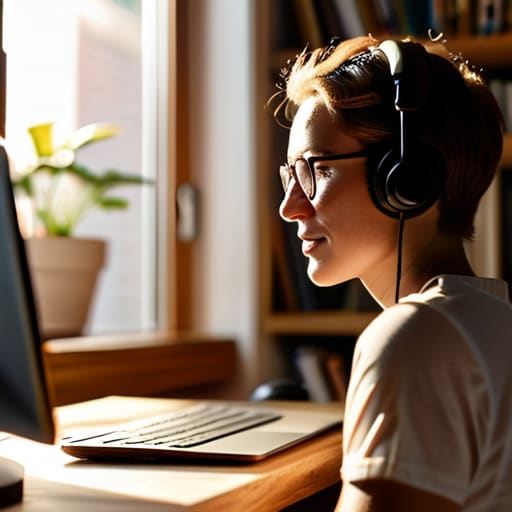
Instead of trying to build a professional studio, think of this as a quick audit of your immediate environment. Start with your professional background for video calls; you don’t need a minimalist office, but a tidy bookshelf or a plain wall works wonders to keep the focus on you rather than your laundry pile. Next, check your lighting. You don’t need expensive gear, but sitting facing a window—rather than having a bright light behind you—prevents you from looking like a mysterious silhouette.
Once the space is set, move to the tech. I always keep a physical notepad and pen nearby (my planner is never far) because sometimes digital notes are too distracting. Test your audio and camera ten minutes early to avoid the panic of overcoming technical difficulties in interviews right as the recruiter joins. Finally, practice a bit of intentional eye contact during virtual meetings. It sounds weird, but remember to look at the camera lens, not just the person’s face on the screen. It makes a massive difference in how much connection you actually build.
Mastering Eye Contact During Virtual Meetings

Here is the tricky part: looking at the person on your screen feels natural, but it’s actually a mistake. If you spend the whole interview staring at their face on the monitor, it looks to them like you’re looking down or off to the side. To truly master eye contact during virtual meetings, you have to train yourself to look directly into that tiny little camera lens. It feels incredibly awkward at first—almost like you’re staring into a void—but to the person on the other end, it’s the only way to create that sense of genuine connection.
I like to use a little hack: I’ll stick a tiny, colorful post-it note right next to my webcam. It serves as a visual anchor so I don’t get distracted by my own reflection or the interviewer’s facial expressions. It’s a small, repeatable habit, but it makes a massive difference in how confident you appear. When you combine this with decent video conferencing etiquette, like nodding occasionally to show you’re listening, you move past the “talking to a computer” phase and into a real, professional conversation.
The unglamorous stuff that actually keeps you from spiraling
- Audit your tech like it’s a high-stakes project. Don’t just assume your Wi-Fi is fine because you watched Netflix last night; run a speed test and, for the love of all things organized, find your charger before the call starts so you aren’t frantically hunting for it mid-sentence.
- Curate a “professional enough” background. You don’t need a dedicated home office or a library of leather-bound books; just clear the pile of laundry off the chair behind you and make sure there isn’t a distracting neon sign or a messy kitchen sink in your frame.
- Prepare your “cheat sheet” without looking like you’re reading a script. Since you’re on camera, use that to your advantage by taping a few bullet points of your key achievements right next to your webcam—it keeps your eyes up and your thoughts on track without the awkward “reading from a document” vibe.
- Master the art of the intentional pause. In virtual meetings, there’s always that weird, half-second lag that makes people talk over each other. Instead of rushing to fill every silence, take a breath after they finish speaking; it makes you look thoughtful rather than frantic.
- Dress for the job, even if you’re staying in your pajamas from the waist down. I know it’s tempting to stay cozy, but putting on a real shirt and a pair of actual trousers changes your mindset from “scrolling on the couch” to “Operations Manager mode,” and that subtle shift in energy is real.
Bringing It All Home
At the end of the day, winning a remote interview isn’t about having a professional studio setup or a perfectly curated background that looks like a Pinterest board. It’s about the small, unglamorous details that show you’re actually prepared: having your tech checklist sorted, mastering that slightly awkward eye contact with the camera lens, and keeping your workspace organized so you aren’t scrambling mid-sentence. When you focus on these repeatable, practical habits, you strip away the technical anxiety and leave more room for your actual personality to shine through. It’s about being reliably professional rather than performatively perfect.
I know how exhausting the job hunt can be—the endless scrolling, the repetitive applications, and the feeling that you’re just a face in a digital sea. But remember, you don’t need a magic bullet to land the role; you just need to show up as your most grounded, prepared self. Don’t let the pressure of “hustle culture” convince you that you need to be a superhuman to succeed. Just take it one small step at a time, trust your preparation, and keep showing up. You’ve got this, and I’ll see you in the next one.
Frequently Asked Questions
How do I handle it if my Wi-Fi suddenly cuts out or my laptop decides to run a massive update right in the middle of the call?
Look, technology is going to fail you. It’s not a matter of “if,” it’s “when.” When the Wi-Fi dies or that dreaded update screen pops up, don’t panic—panic is a productivity killer. Keep your phone nearby with your data turned on and the interviewer’s email or phone number pulled up. If you drop, immediately send a quick, calm message: “Technical glitch on my end; reconnecting now.” It shows you can handle chaos without losing your cool.
I don't have a dedicated home office; is it okay to interview from my kitchen table if I can make it look decent?
Honestly? It’s fine. I’ve interviewed from my kitchen table more times than I’d like to admit. You don’t need a mahogany desk to be professional; you just need to control the chaos. Clear the clutter, grab a plain backdrop if the dishes are staring at you, and make sure your lighting is decent. If you look composed and your connection is solid, nobody cares that you’re sitting three feet away from the toaster.
How can I tell if I'm accidentally talking too much or if the silence on the other end is just a lag in the connection?
Honestly, I used to panic about this constantly. My trick? The “three-second rule.” When you finish a thought, count to three in your head before jumping back in. If they haven’t responded by three, it’s likely a lag or they’re processing. If you’re still worried, just throw out a quick, “I’ll pause there for a second to let you catch up.” It’s a low-key way to check the connection without sounding awkward.